01 · LAUNCH & CRASHES
Fix launch failures, fatal errors & black screens
- Test DirectX launch overrides. Right-click Funnel Runners in your Steam Library → select Properties → navigate to General. Under Launch Options, enter
-dx11(or-dx12/-d3d11) to force a stable renderer. Test one flag at a time. - Verify game file integrity. In Steam Library → right-click Funnel Runners → select Properties → open Installed Files → click Verify integrity of game files. Steam will scan and replace broken assets.
- Update graphics drivers. Perform a clean installation of your NVIDIA, AMD, or Intel display driver to resolve shader compilation crashes and black screen hangs.
- Configure antivirus & firewall exceptions. Add
FunnelRunners.exeto your security software’s exclusion list to prevent background blocking during startup.
02 · LAG & PERFORMANCE
FPS caps, latency & network optimization
- Cap frame rate to monitor refresh rate. Use NVIDIA Control Panel, AMD Radeon Chill, or RIVA Tuner to limit FPS to 60 or 144. Capping prevents GPU overheating and eliminates severe frame pacing stutter.
- Switch to wired Ethernet connection. High-speed Wi-Fi is vulnerable to packet loss during intense storm effects and multi-player co-op sync. Use a wired LAN connection for stable ping.
- Adjust Steam download region. Open Steam Settings → Downloads → set Download Region to your nearest server location to prevent high latency during online lobby matchmaking.
COMMUNITY VIDEO GUIDES
Referenced PC Troubleshooting Videos
Click any video card below to watch the original troubleshooting demonstration directly on YouTube.
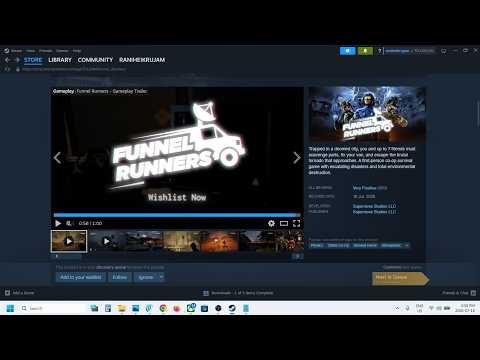 0:56
0:56Launch, crash & black-screen fixes
A short PC troubleshooting walkthrough showing Steam launch options and file verification for crashes, fatal errors, freezes, and black screens.
 2:08
2:08Extreme lag fix & FPS boost
A Spanish-language performance guide covering frame-rate limits, Radeon Chill, wired networking, and Steam download-region settings.
 0:56
0:56PC compatibility fix
A Spanish-language Steam walkthrough for repairing the installation and checking for updates when Funnel Runners will not run correctly.
FAQ
PC troubleshooting questions
Where is the official Funnel Runners support channel?
The developer community is on Discord. Use the official invite link on the Steam store page or in the site header.
Does changing DirectX launch options alter game files?
No. Launch options tell the engine which renderer or startup behavior to request. Remove the launch string in Steam to return to default settings.
Why does Steam verify file integrity?
Verification checks local installation files against the current build manifest and re-downloads any corrupted or missing files.